If you have ever spent hours hunting for a death certificate you know you saved, you’ve felt the “clutter tax.” When researchers ask for the best way to organize genealogy, they aren’t just looking for a folder; they are looking for a system. Without a structured workflow, your family history becomes a pile of “unlinked” clues.
To help you move from chaos to clarity, we’ve compiled seven professional strategies that represent the best way to organize genealogy in the digital age. These steps ensure that your research remains accessible, searchable, and safe for future generations.
1. Standardize Your Digital File Naming
The foundation of the best way to organize genealogy is a consistent naming convention. Never save a file as “Grandpa.jpg.” Instead, use a universal format: YYYY-MM-DD - Surname - Given Name - Document Type. This allows your computer to automatically sort files chronologically, making it the most efficient way to track an ancestor’s life events. By starting with the year, your folder view becomes a natural timeline of their life from birth to death.+1
2. Implement the “One Couple, One Folder” Rule
Many hobbyists try to organize by surname alone, but that leads to massive, unmanageable folders with hundreds of unrelated people. The best way to organize genealogy files is by the “Family Unit.” Create a folder for a married couple (e.g., SULLIVAN, John & O’LEARY, Mary). Inside, keep their marriage record, census pages, and records for their children until those children marry and deserve their own folders. This mirrors how biological families actually grow and branch off.
3. Maintain a Professional Research Log
You cannot have an organized tree without a research log. This is a simple spreadsheet where you track every search—even the ones that failed. Using a log is the best way to organize genealogy tasks because it prevents you from searching the same database twice and helps you spot patterns you might have missed in your software. A good log includes the date, the specific database used, the search terms entered, and the result (even if it’s “no record found”).
4. Use a Dedicated Workbook for Tracking
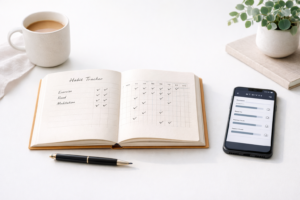
While digital files are essential, having a physical “hub” for your research prevents mental fatigue. Using a structured planner like the 6 Generation Genealogy Organizer is the best way to organize genealogy notes while you are away from the computer. It allows you to visualize connections across six generations in a tangible format, making it easier to spot gaps in your lineage during library visits or interviews with elderly relatives.
5. Color-Coding for Physical Records
If you still use paper binders, color-coding is the best way to organize genealogy visually. Use four primary colors to represent your four grandparent lines (e.g., Blue for Paternal Grandfather, Green for Paternal Grandmother, Red for Maternal Grandfather, and Yellow for Maternal Grandmother). This makes it nearly impossible to misfile a document in the wrong binder and helps you quickly identify which branch a document belongs to during a library visit.
6. Source Everything Immediately
An unreferenced fact is just a rumor. To maintain the best way to organize genealogy data, never enter a name or date into your tree without attaching a source link or image immediately. This “clean-as-you-go” method saves hundreds of hours of cleanup later. If you find a date on a tombstone, take a photo and link it to the death event in your software that same day.
7. Leverage Digital Genealogy Software and Metadata
While paper is nostalgic, the best way to organize genealogy for long-term sharing is through software like RootsMagic or Family Tree Maker. Furthermore, learn to use “Metadata”—the hidden data inside a photo file. Adding keywords like “1920 Census” or “Smith Family” into the file properties makes your entire library searchable through your computer’s search bar. This level of detail is what separates an amateur hobbyist from a professional family historian.
Comparison: Physical vs. Digital Organization
| Method | Best For | Pros | Cons |
| Physical Binders | Family Reunions | Tactile, easy to browse | Takes up space, hard to search |
| Digital Folders | Daily Research | Searchable, easy to backup | Requires tech skills |
| Genealogy Organizer | Tracking Pedigrees | Portable, visualizes 6 generations | Manual entry required |
Finding the best way to organize genealogy is a personal journey, but these seven steps provide a professional framework. By focusing on consistent naming, family units, and digital backups, you ensure that your hard work survives for generations. For more help with professional standards, check out the Board for Certification of Genealogists to see how the pros document their findings.

Leave a Reply